I’ve recently started exploring GeoPandas, a great Python library for working with geospatial data. It combines the convenience of pandas for handling tabular data with the capabilities of shapely to perform geometric operations.
While GeoPandas certainly supports many types of advanced geospatial analysis, I would especially like to highlight its ability to create nice-looking map-based visualizations. A map of Europe created in this notebook is shown here as an example:
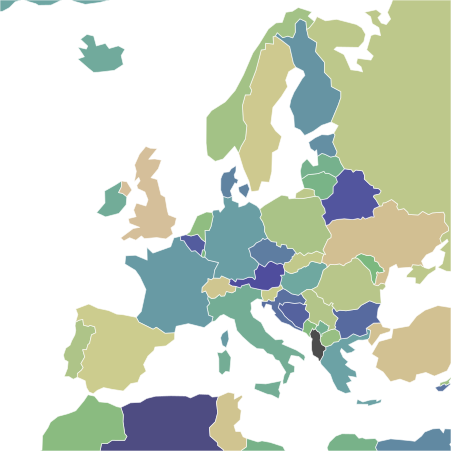
The remainder of this post provides a brief introduction to some of the core concepts of GeoPandas. More details can be found in the official documentation.
GeoDataFrame and GeoSeries
The main geopandas objects are geopandas.GeoDataFrame and geopandas.GeoSeries. They are subclasses of pandas.DataFrame and pandas.Series, respectively, and extend their functionality to include geometric data. The following figure from the getting started guide illustrates a GeoDataFrame containing multiple attribute columns and a GeoSeries as a dedicated geometry column:
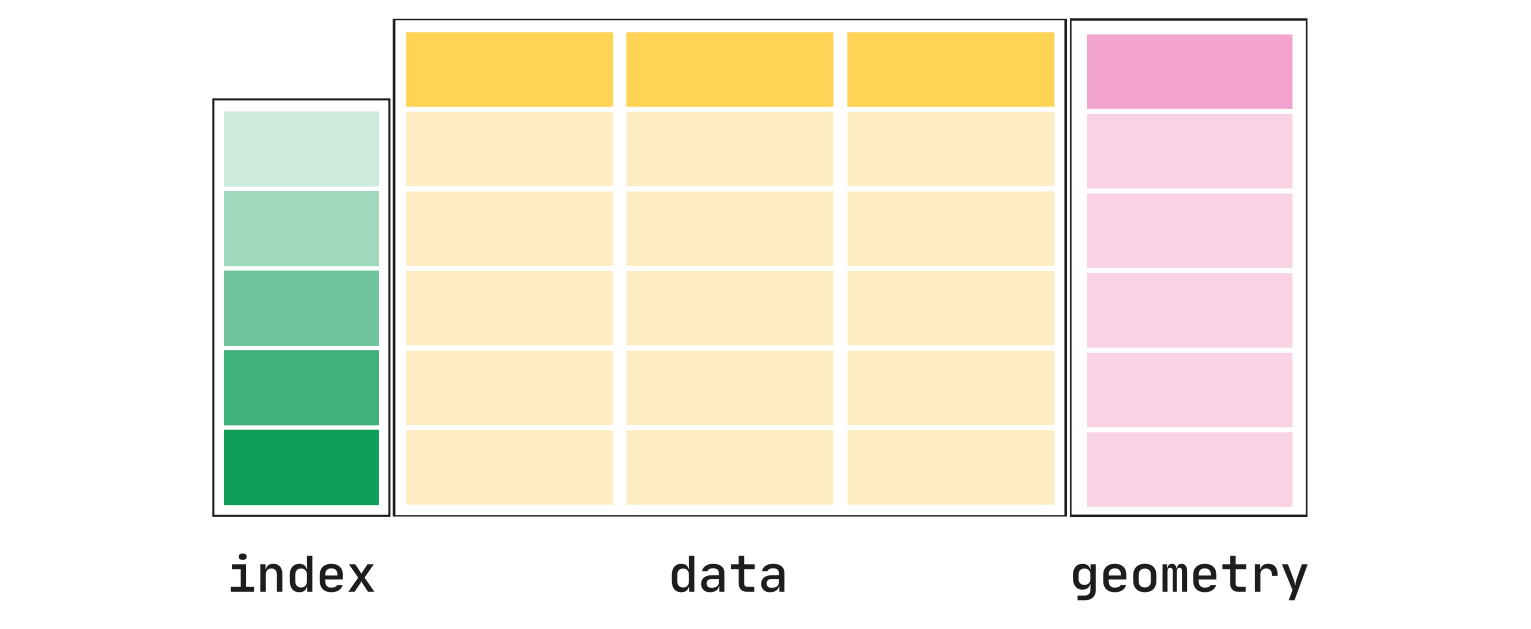
Each row represents a certain geographic feature, such as a point, line, or polygon, along with its associated attributes. A GeoDataFrame may contain multiple GeoSeries columns with geometries, but only one of them can be set as the active geometry. By default, it is used for all geometric manipulations and visualizations.
The active geometry can be accessed through the gdf.geometry attribute. Its name is stored in gdf.geometry.name. One can (re)set the active geometry through the method gdf.set_geometry().
Geometric calculations
Given a GeoDataFrame or GeoSeries with geometries, we can easily perform various geometric calculations and operations. For example, we can calculate the area and centroid of each geometry with gdf.area and gdf.centroid, respectively. Rectangular bounding boxes of the geometries can be obtained with gdf.bounds, while gdf.total_bounds yields a single bounding box for the entire dataset.
Spatial relationships between geometries can be analyzed with methods such as gdf.intersects(), gdf.contains(), or gdf.within(). They return boolean values indicating whether the specified relationship holds true between the involved geometries.
Coordinate reference system
A central concept in geospatial data is the coordinate reference system (CRS), which defines how geometric information relates to real-world locations. GeoPandas effectively handles coordinate systems and transformations between them. The CRS can be accessed via gdf.crs and set, if necessary, using gdf.set_crs(). Another important method is gdf.to_crs() that allows for changing the CRS.
Note that many geometric calculations involving distances and areas are better performed in a spatially projected CRS with two-dimensional Cartesian coordinates, rather than a geographic CRS using longitude and latitude. Keep this in mind when using, for instance, gdf.area or gdf.distance().